Publix Pharmacy
- 4.8
- Rating
- 1.00M
- Installs
- Free
- Price

 Analysis by App-foxy
I use pharmacy apps for one simple reason: I want routine prescription tasks to take less time than a phone call or a trip to the counter. Publix Pharmacy is built around that practical idea. It is a free medical app from Publix Super Markets Inc. that lets customers manage prescriptions from a mobile device, and its strongest quality is its focused purpose rather than a long list of unrelated health tools.
In my experience, that focus makes it easier to understand what the app is for. It is not trying to replace a doctor, diagnose symptoms, or become a complete medication-management platform. It is aimed at people who already use Publix Pharmacy and want a more convenient way to handle pharmacy-related tasks. That distinction matters, because the app is much more useful when viewed as a digital extension of a Publix pharmacy relationship, not as a universal health companion.
The app has been available since May 31, 2017, and the current version is 3.1.12. It supports devices running Android 8.0 or later, carries an Everyone age rating, and is available at no charge. Its average rating is 4.8 from around 9.8 thousand ratings, while the app has passed over one million installs. Those figures suggest that it has found a substantial audience, although ratings alone cannot tell me whether every prescription workflow will feel equally smooth for every customer.
You May Also Like

 Blood Strike: 2.5 Anniversary
Blood Strike’s Loadouts Turn Every Drop Into a Tactical Gamble
A close look at Blood Strike’s custom loadouts: how fast access to signature weapons reshapes its battle royale rhythm, rewards preparation, and narrows the gap between fights.

 Pandora - Music & Podcasts
Pandora’s Music Is Easy to Start, but Harder to Recover
Pandora’s strength is its low-effort path from a seed to a station. Its weak spot is how much confidence it asks you to place in connection, setup, and quiet recovery.

 8 Ball Pool
 Is Built on Rivalries, Rematches, and Routine
A close look at the rivalries, rematches, shared routines, and unanswered safety questions that turn a quick pool match into a persistent mobile community.

 Samsung Music
’s Quiet Strength Is Playing What You Already Own
Its reach comes less from spectacle than from dependable access to a personal library. That simplicity is both the app’s strongest retention engine and its ceiling.

 AccuWeather: Weather Radar
AccuWeather Review: A Quick, Clear Forecast for Everyday Decisions
For everyday plans, the best forecast is the one you can understand quickly. AccuWeather makes rain timing, radar, and local conditions easy to act on, with a few trade-offs.

 Hill Climb Racing
Why Hill Climb Racing Still Turns Crashes Into One More Run
A tiny car, a bumpy hill and one more upgrade: Hill Climb Racing keeps resurfacing because its simple chaos makes every near-miss feel personal.
More From Our News Desk



How Publix Pharmacy earns trust through a narrow purpose
The first trust signal I notice is the app’s limited scope. A pharmacy tool handling prescription information should not need to behave like a social network, a fitness tracker, or a general-purpose shopping app. Keeping the experience centered on prescriptions gives me a clearer idea of why I am opening it and reduces the temptation to share information for features that are unrelated to medication care.
That does not automatically make an app private or risk-free, but it does make the user experience easier to judge. When I open Publix Pharmacy, I expect to be dealing with pharmacy tasks connected to Publix rather than browsing a broad health marketplace. For someone who fills prescriptions at Publix regularly, that direct relationship is more reassuring than having to piece together information across a general medication app and a separate pharmacy account.
The developer is Publix Super Markets Inc., which is important context for deciding whether the app fits your routine. The main question is not simply whether it is well rated; it is whether you already rely on Publix for prescriptions. If you do, the app has a clear reason to exist in your daily life. If you use several unrelated pharmacies, its value becomes narrower because it is not a neutral hub for every pharmacy account.
I also appreciate that the app is free. There is no purchase decision standing between a Publix customer and the basic mobile experience. Still, “free” should be read as a download and access benefit, not as a promise that every pharmacy service connected to your prescription is free. Medication costs, insurance decisions, and pharmacy charges remain separate matters, so I would never use the app’s price as a reason to assume anything about the cost of a prescription.
What the app is best suited to do
The most convincing use case is routine prescription management. If I have a regular medication, want to avoid an unnecessary call, and already know which Publix pharmacy I use, a dedicated pharmacy app is more convenient than searching through a browser or relying on paper reminders. The value comes from having the relevant account and prescription context in one place when I need it.
A realistic example is a busy weekday when I notice that a recurring prescription needs attention before the weekend. Instead of waiting until I can stand in line or speak with someone by phone, I can turn to the app and begin the pharmacy task from my phone. The practical advantage is not dramatic; it is the removal of small delays that become frustrating when repeated every month.
Another useful situation is preparing before leaving home. I can check the app first rather than making a trip based on an assumption that a prescription is ready. That habit can save time, especially for anyone who has limited mobility, a long commute, or a schedule that makes an unnecessary pharmacy visit difficult. I would still treat the app as a convenience layer, not as a substitute for confirming urgent medical details with a pharmacist.
The app is also a reasonable fit for adults helping organize a household’s routine prescriptions, provided they use the appropriate account access and respect the other person’s privacy. This is where I would be careful: convenience should not lead to casually sharing login details or leaving prescription information visible on a shared phone. A pharmacy app can make access easier, which means basic account discipline matters more, not less.
Account control matters more than visual polish
For a medical app, I judge the experience less by decoration and more by whether I can understand what account I am using, what prescription information I am viewing, and what action I am about to request. A clean workflow is valuable because mistakes in a pharmacy context can have consequences beyond ordinary shopping inconvenience.
I would take a moment during setup to confirm that the account details and selected pharmacy location are correct. That is a small but important step. If a household has similar names, multiple Publix locations, or more than one prescription profile, rushing through the first screens can create confusion later. I prefer to verify those details before submitting a refill-related request or making plans around a displayed status.
I also recommend reviewing the app after installing it rather than assuming that the default experience matches your preferences. Check which account is signed in, whether the device is shared, and whether notifications could reveal sensitive information to someone nearby. These are not complicated controls, but they are the kind of user choices that protect privacy in ordinary life.
On a personal device with a secure screen lock, the app is easier to use responsibly. On a family tablet, an unlocked phone, or a device that other people regularly borrow, I would be more cautious. Prescription details are health information, and even a harmless-looking notification can disclose more than you intended. The safest workflow is to keep the device itself protected and avoid treating the app as a place where privacy happens automatically.
Where data sensitivity enters the everyday workflow
Prescription management involves information that deserves care, even when the task feels routine. A refill request or medication status may reveal something about a person’s health, treatment schedule, or household circumstances. That is why I would avoid using the app casually on public Wi-Fi when a more trusted connection is available, and I would not leave the account open on a device that someone else can access.
I would also distinguish between actions that are convenient and actions that require professional advice. The app can help with pharmacy administration, but it should not become my source for deciding whether to change a dose, stop a medication, combine treatments, or ignore a side effect. If a prescription looks wrong or a medication question is urgent, a pharmacist or clinician is the right person to contact.
This distinction is especially important when a prescription appears delayed or unavailable. A status shown in an app may help me understand the next administrative step, but it does not explain every clinical or insurance reason behind a delay. I would use the app to gather what I can, then contact the pharmacy directly when the issue affects treatment timing.
Travel is another moment when caution helps. Before leaving town, I would not wait until the last minute to discover that a prescription needs attention. I would check the account early, allow time for questions, and keep the pharmacy’s direct contact route available. The app can reduce friction, but it cannot remove every real-world dependency involved in filling medication.
Useful habits that make the app less frustrating
My first practical tip is to use it as part of a repeatable routine. Instead of opening it only when a prescription becomes urgent, I would check upcoming needs at a sensible point in the medication cycle and leave enough time for the pharmacy to process the request. That turns the app from an emergency button into a planning tool.
My second tip is to verify the selected Publix location before taking action, particularly if I have moved, travel between neighborhoods, or use a location near work rather than home. A pharmacy app is only convenient when the request is attached to the place where I actually intend to collect the medication.
My third tip is to keep the app updated through the official app store and to pay attention after updates. The current version is 3.1.12, but mobile operating systems and account systems change over time. If a screen behaves differently after an update, I would reread the request details rather than tapping through from memory. That extra pause is worthwhile for prescription-related actions.
A fourth useful habit is to keep a backup plan. If the app is unavailable, the account session expires, or a request needs clarification, I would use the pharmacy’s ordinary contact or in-person channel instead of repeatedly submitting the same request. Duplicate attempts can create uncertainty about what has actually been received, while a direct conversation may resolve the situation faster.
Finally, I would avoid using the app as my only medication reminder. Pharmacy management and medication adherence are related but different jobs. A calendar, pill organizer, or reminder system may still be necessary, especially for medicines taken at different times. The app can support the refill side of the routine without replacing tools designed specifically for daily doses.
Who should choose it and who may prefer another option
I would recommend Publix Pharmacy to someone who regularly fills prescriptions at Publix, wants mobile access to pharmacy tasks, and prefers handling routine requests without a phone call. It is particularly sensible for people who value convenience but do not need a large collection of medical education, symptom tracking, or cross-pharmacy features.
I would be less enthusiastic for someone who uses several pharmacies and wants one dashboard for all medications. In that situation, a pharmacy-neutral medication organizer may be a better companion, while each pharmacy’s own app handles its specific transactions. A general health app can be useful for reminders or records, but it may not provide the same direct connection to a Publix prescription account.
People who are uncomfortable with online accounts may also prefer speaking with a pharmacist. The app is not automatically better simply because it is digital. If entering information on a phone feels confusing, or if a prescription needs explanation rather than administration, a human conversation is the better choice. Convenience should never outweigh clarity.
I would also avoid relying on it alone for urgent medication problems, complicated insurance questions, or clinical decisions. In those cases, the app may help me start the process, but direct assistance is more appropriate. The right way to use it is as one channel in a broader pharmacy routine, not as a replacement for professional care.
A measured verdict for Publix customers
After looking at the app through the lens of account control, sensitive information, and user choice, I see a practical tool with a clearly defined audience. Its strength is the direct connection between a Publix customer and routine prescription management. The free price, Everyone rating, long availability, and strong user response make it an easy app to consider when Publix is already my pharmacy.
Its limitations are just as clear. The experience is tied to Publix, so it is not the best answer for people who want a single system covering every pharmacy. It also cannot replace a pharmacist, clinician, medication reminder, or secure personal habits. The more complex the health situation, the more important it becomes to use the app for administration and convenience while turning to professionals for interpretation.
My cautious recommendation is simple: if Publix handles your prescriptions, install it, verify the account and pharmacy location carefully, review how notifications appear on your device, and use it for planned routine tasks. If you do not use Publix or need broad medication management across different providers, choose a more suitable alternative instead. The app is most trustworthy when I keep its role narrow, understand what I am authorizing, and remain in control of the account and the information displayed on my phone.
For that audience, Publix Pharmacy is a useful convenience rather than an overpromising health platform. I would keep it on my phone for ordinary prescription administration, but I would pair it with sensible device security, a backup contact method, and professional advice whenever the issue goes beyond a routine pharmacy task.
FAQs for Publix Pharmacy
01What services does the Publix Pharmacy app offer?
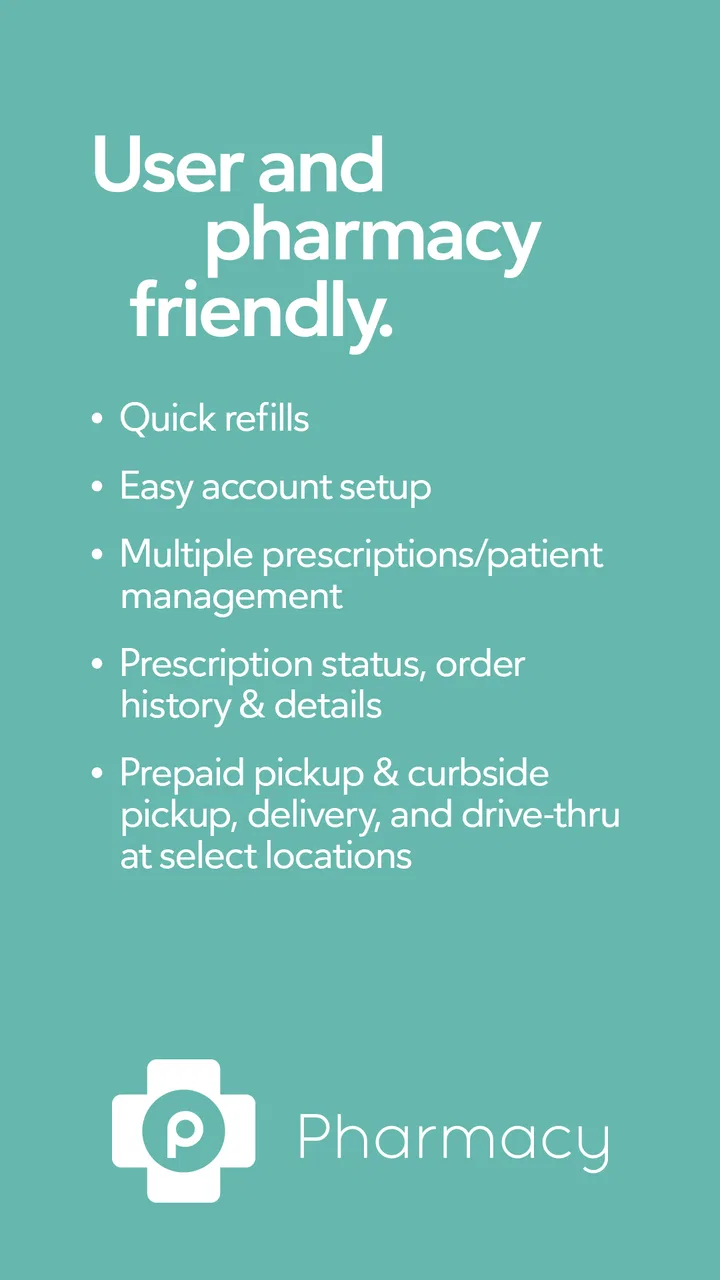
The Publix Pharmacy app provides a range of services including prescription refills, reminders for taking medications, and the ability to check the status of a prescription. Additionally, users can view their medication history, manage family prescriptions, and locate nearby Publix Pharmacy locations. This makes managing your healthcare needs more convenient and efficient.
02Is the Publix Pharmacy app available for both Android and iOS?
Yes, the Publix Pharmacy app is available for download on both Android and iOS platforms. You can easily find it on the Google Play Store for Android devices and the Apple App Store for iOS devices. Ensure your device meets the required specifications for a seamless experience.
03How secure is my personal information on the Publix Pharmacy app?
The Publix Pharmacy app employs robust security measures to protect your personal information. It uses encryption and secure authentication protocols to safeguard your data. However, it's always advisable to use a strong password and keep your login information confidential to enhance security further.
04Can I transfer prescriptions from other pharmacies to Publix using the app?
Yes, the Publix Pharmacy app allows users to transfer prescriptions from other pharmacies. You simply need to provide the necessary details of the existing prescription and the pharmacy it's currently held at, and Publix will handle the transfer process. This feature adds convenience for users looking to switch their pharmacy services.
05Does the Publix Pharmacy app offer reminders for taking medication?
Absolutely, the Publix Pharmacy app includes a feature that allows users to set up reminders for taking their medications. This can be particularly helpful for those managing multiple prescriptions, ensuring doses are not missed. Users can customize the reminders according to their schedule and preferences.
Pros
- User-friendly interface for easy navigation.
- Seamless prescription refill process.
- Comprehensive medication info available.
- Real-time notifications for prescription status.
- Integration with health records and reminders.
Cons
- Limited to Publix pharmacy locations.
- Occasional app performance issues.
- Requires internet for most features.
- No option for non-Publix pharmacies.
- Limited customer service chat support.

Publix Pharmacy
Gallery